

High tech PowerView® Automation for the Smart Home
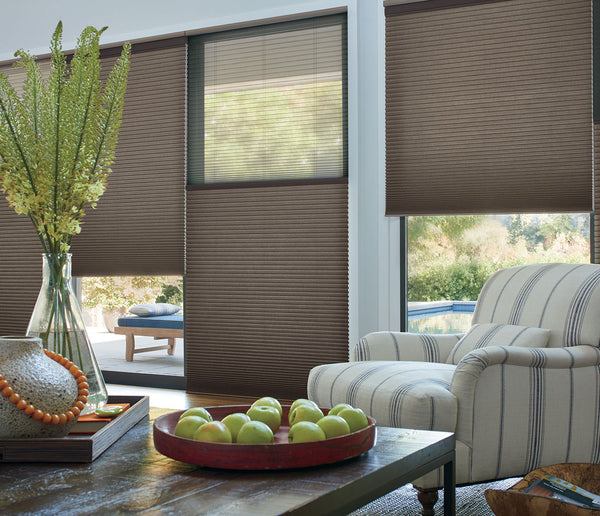
Hunter Douglas’ PowerView Automation gives you precise and convenient control of your window treatments. With PowerView, your shades can operate independently, by remote, through voice activation in coordination with your smart home devices, or on a set schedule. It’s the perfect way to manage your shades when you’re home or away.
KEY FEATURES

Added Convenience
Control shades in hard to reach places with a tap of a button or even better, schedule them to automatically open and close each day.

Increased Energy Efficiency
Schedule your shades to lower to prevent harsh summer rays from heating your interior or to prevent heat loss in the winter.

Enhanced Security
Give your home a “lived-in” look while you’re away by automatically scheduling shades to raise and lower at set times.

Safer for Children and Pets
Smart shades are the ultimate cordless option to protect your loved ones from dangerous exposed cords.
How Does it Work?
PowerView AppUse the PowerView® App to control your shades with the touch of a finger. Easily activate pre-set or customized Scenes that move each of your shades to your preferred positions, then schedule those scenes to operate on their own throughout the day. You can even schedule scenes to move with the sunrise or sunset. The App is compatible with Apple® and Android™ smartphones and tablets.
PowerView Remote
This remote easily operates up to six groups of window treatments, gives you on-demand control and comes in a range of stylish colors. If you're worried about misplacing it, opt for the wall-mounted Pebble Surface Remote. PowerView also offers additional control options and accessories that fit your every need.
Bluetooth Control
Your PowerView shades will always be exactly where you want them, when you want them, thanks to Bluetooth® technology, which features real-time, two-way communication between your shades and the PowerView system.
Battery Power
For easy installation, operation and maintenance, most PowerView systems are battery-powered and can include an environmentally friendly Rechargeable Battery Wand.
For voice operation, PowerView Automation seamlessly integrates with sophisticated whole-home automation systems such as Amazon Alexa, Apple HomeKit, and Google Home.


Amazon, Alexa, and all related logos are trademarks of Amazon.com, Inc. or its affiliates. Apple, Siri, iPhone, iPad, Apple Watch, Mac and HomePod are trademarks of Apple Inc., registered in the US and other countries. HomeKit is a trademark of Apple Inc. Google is a trademark of Google LLC. The Bluetooth word mark and logos are registered trademarks owned by Bluetooth SIG, Inc. and any use of such marks by Hunter Douglas is under license. Other trademarks and trade names are those of their respective owners.
Due to differences in screen resolutions, we cannot be responsible for variations between the actual product and your screen. Products are subject to variations in color, shade, size, surface texture and finish.
Frequently Asked Questions About Smart Blinds & Shades
Yes, smart blinds and shades are more expensive due to automation technology and integration features, though prices vary widely by brand and functionality. Explore cost factors in our guide to choosing the right motorized smart blinds.
Smart blinds are built for longevity, with durable motors and materials. High-quality models offer years of reliable performance. Learn what makes smart window treatments long-lasting in our guide to smart blinds and shades.
Advantages include remote operation, scheduling, voice control, and energy savings. Disadvantages include higher cost and the need for power or batteries. Explore the pros and cons of smart window treatments in our guide to smart blinds.
Installation is similar to manual blinds but includes connecting to power (or battery pack) and syncing with smart home devices. Manufacturer instructions or professional help may be required. See our pre-installation checklist for tips on installing and powering smart blinds.
Clean as you would with standard blinds - dust regularly and wipe gently. Take care around motors or cords to avoid damage. Get cleaning tips for blinds in our window treatment care guide.